Background
I've built a few simple Go sites before, like Golink and GProbe. They worked, but they weren't secure enough and were easy to attack. Lately I wanted to build a Pastebin-style website, and this time it needed strong security.
Let's build it
It follows the same pattern as my previous posts:
Goserves the HTTP endpoints.- Go templates render the HTML.
SQLite3stores and queries the data.
Endpoint design
To keep things simple, I only made two endpoints for Pasty:
/: get the index page (GET) and create a new paste (POST)/paste/: get a paste (GET) and delete it (DELETE)
That's the whole API surface I needed.
Let's start:
http.HandleFunc("/", func(w http.ResponseWriter, r *http.Request) {
	if r.Method == "GET" {
		pastes := getAllPastes(db)
		tmpl.ExecuteTemplate(w, "index.html", pastes)
	} else {
		r.ParseForm()
		content := r.Form.Get("content")
		insertPaste(db, escapeContent(content))
		http.Redirect(w, r, "/", http.StatusSeeOther)
	}
})

http.HandleFunc("/paste/", func(w http.ResponseWriter, r *http.Request) {
	uid := r.URL.Path[len("/paste/"):]

	if r.Method == "GET" {
		paste := getPasteWithID(db, uid)
		if paste.isNil() {
			http.NotFound(w, r)
			return
		}
		tmpl.ExecuteTemplate(w, "paste.html", paste)
	} else {
		deletePaste(db, uid)
		http.Redirect(w, r, "/", http.StatusSeeOther)
	}
})
Then we need to write the templates and implement the CRUD operations (getAllPastes, getPasteWithID, insertPaste, deletePaste).
ORM
I'm an original thinker — I don't like depending on third-party packages. But an ORM makes this much easier.
I use SQLite3 with Gorm for storage. Gorm is easy to use and provides a lot of functionality out of the box.
type Paste struct {
	ID        int       `gorm:"column:id"`
	UID       string    `gorm:"column:uid"`
	Content   string    `gorm:"column:content"`
	CreatedAt time.Time `gorm:"column:created_at"`
}

func getAllPastes(db *gorm.DB) []Paste {
	pastes := []Paste{}
	db.Find(&pastes)
	return pastes
}

func getPasteWithID(db *gorm.DB, uid string) Paste {
	paste := Paste{}
	db.First(&paste, "uid = ?", uid)
	return paste
}

func insertPaste(db *gorm.DB, content string) {
	paste := Paste{UID: uuid.New().String(), Content: content, CreatedAt: time.Now()}
	db.Create(&paste)
}

func deletePaste(db *gorm.DB, uid string) {
	db.Delete(&Paste{}, "uid = ?", uid)
}
That's everything we need!
Oh — maybe we should initialize the database? Right, that's easy too; Gorm handles it.
func initDB(filepath string) *gorm.DB {
	db, err := gorm.Open(sqlite.Open(filepath), &gorm.Config{
		DisableAutomaticPing: true,
	})
	if err != nil {
		log.Fatal(err)
	}

	err = db.AutoMigrate(&Paste{})
	if err != nil {
		log.Fatal(err)
	}

	return db
}
We just open the database and run the migration. AutoMigrate creates the table if it doesn't exist and leaves it alone if it does.
Templates
I think Go's html/template is really powerful for building simple websites. We just need two pages: index.html and paste.html.
<!DOCTYPE html>
<html>
<head>
    <title>Pasty</title>
</head>
<body>
    <h1>Pasty</h1>
    <p>Input your paste</p>
    <form method="POST">
        <textarea name="content" required rows="30"></textarea>
        <br/>
        <input type="submit" value="Submit">
    </form>
    <hr/>
    <h2>Pasted</h2>
    {{range .}}
        <div>
            <a href="/paste/{{.UID}}">{{.UID}}</a>
            <p><pre><code>{{truncate .Content 200}}</code></pre></p>
        </div>
    {{end}}
</body>
</html>
<!DOCTYPE html>
<html>

<head>
    <title>Paste</title>
</head>

<body>
    <h1>Paste</h1>
    <a href="/">Home</a>
    <div>
        <h2>{{.UID}}</h2>
        <pre><code>{{.Content}}</code></pre>
        <p>{{.CreatedAt}}</p>
        <form method="POST">
            <input type="submit" value="Delete">
        </form>
    </div>
</body>

</html>
CSS has always been the hardest part for me, so I used water.css for styling.
Water.cssis a drop-in collection of CSS styles that makes simple websites like this a little nicer — https://watercss.kognise.dev/
Just import water.css in the HTML file and you get a decent-looking site with automatic dark mode. Add this to the head element:
<link rel="stylesheet" href="https://cdn.jsdelivr.net/npm/water.css@2/out/water.css">
Run it!
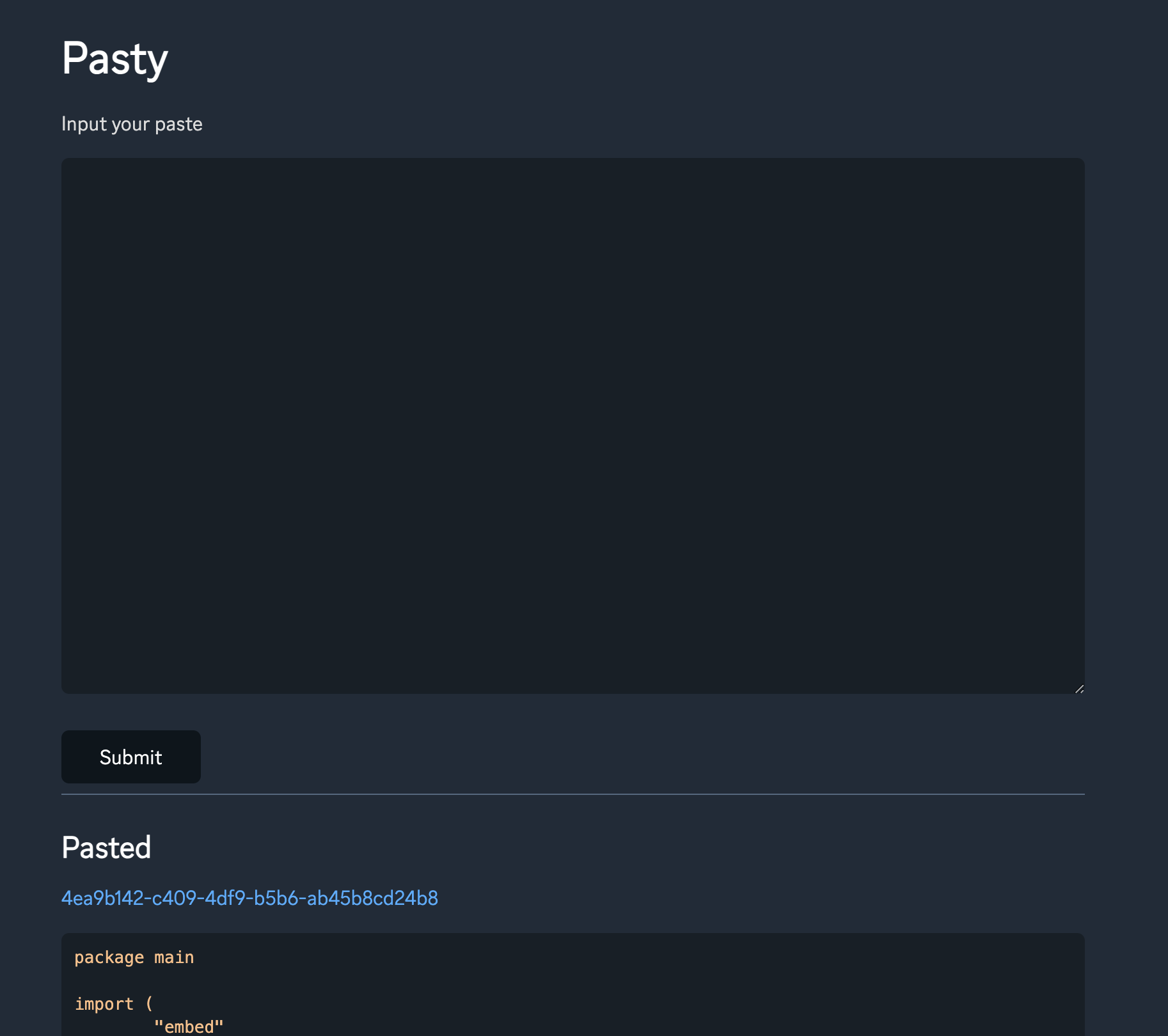
Looks pretty good!
It uses
gg fontas itsfont-family.
You can also add a favicon and a copy button on the paste page, using JavaScript to copy the content.
<!DOCTYPE html>
<html>
  <head>
    <title>Pasty</title>
    <link
      rel="stylesheet"
      href="https://cdn.jsdelivr.net/npm/water.css@2/out/water.css"
    />
    <link rel="shortcut icon" type="image/x-icon" href="favicon.ico" />
    <style>
      .code-container {
        position: relative;
      }

      .code-container .copy-button {
        position: absolute;
        top: 0;
        right: 0;
        padding: 5px;
        border: none;
        cursor: pointer;
      }
    </style>
    <script>
      async function copyCode(block, button) {
        let code = block.querySelector("code");
        let text = code.innerText;

        await navigator.clipboard.writeText(text);

        // visual feedback that task is completed
        button.innerText = "Code Copied";

        setTimeout(() => {
          button.innerText = copyButtonLabel;
        }, 700);
      }
    </script>
  </head>

  <body>
    <a href="/">Home</a>
    <div class="code-container">
      <h2>{{.UID}}</h2>
      <button class="copy-button" onclick="copyCode(this.parentElement, this)">
        Copy
      </button>
      <pre><code>{{.Content}}</code></pre>
      <p>{{.CreatedAt}}</p>
      <form method="POST">
        <input type="submit" value="Delete" />
      </form>
    </div>
  </body>
</html>
This puts a copy button at the top-right of the paste content.
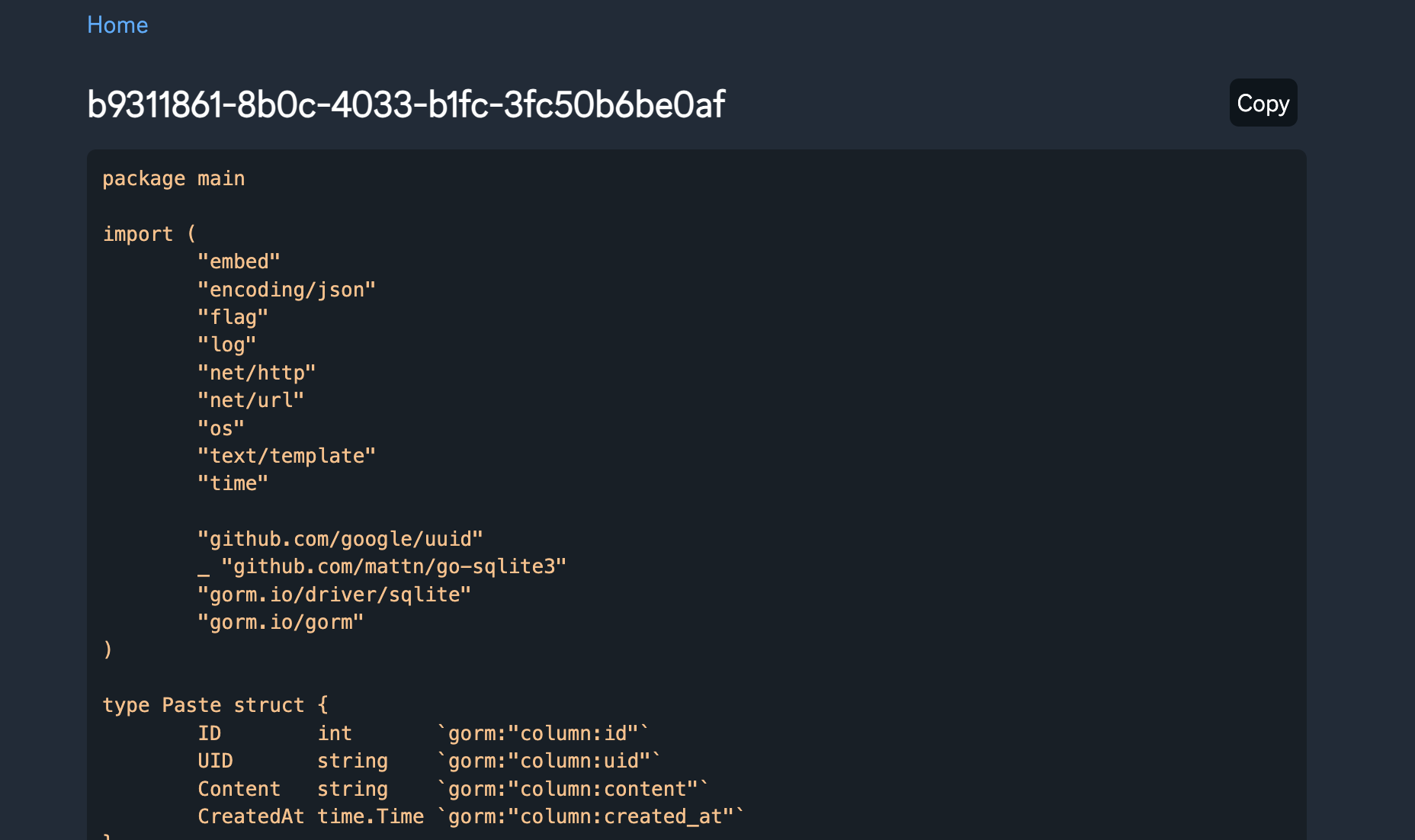
It looks pretty good too!
As a final step, let's add Turnstile.
Turnstile
Turnstile is Cloudflare’s smart CAPTCHA alternative. It can be embedded into any website without sending traffic through Cloudflare and works without showing visitors a CAPTCHA. Cloudflare
My previous tools never had a real security layer. A CAPTCHA is a good way to protect forms.
HTML script
Adding Turnstile is also very easy. First, add its script to your website:
<script src="https://challenges.cloudflare.com/turnstile/v0/api.js" async defer></script>
Then you can add cf-turnstile to the form:
<div class="cf-turnstile" data-sitekey="YOUR_TURNSTILE_SITE_KEY"></div>
I added Turnstile to the submit form on index.html. This is the result:
<!DOCTYPE html>
<html>
<head>
    <title>Pasty</title>
    <link rel="stylesheet" href="https://cdn.jsdelivr.net/npm/water.css@2/out/water.css">
    <script src="https://challenges.cloudflare.com/turnstile/v0/api.js" async defer></script>
</head>
<body>
    <h1>Pasty</h1>
    <p>Input your paste</p>
    <form method="POST">
        <textarea name="content" required rows="30"></textarea>
        <br/>
        <input type="submit" value="Submit">
        <div class="cf-turnstile" data-sitekey="{{.CFTurnstileSiteKey}}" data-callback="turnstileCompleted"></div>
    </form>
    <hr/>
    <h2>Pasted</h2>
    {{range .Pastes}}
        <div>
            <a href="/paste/{{.UID}}">{{.UID}}</a>
            <pre><code>{{truncate .Content 200}}</code></pre>
        </div>
    {{end}}
</body>
</html>
You also need to configure Turnstile in the Cloudflare dashboard:
- Add a site
- Copy the site key and secret key
You can find the details in Cloudflare's documentation.
Server handler
The form now sends a cf-turnstile-response field, which you can use to validate the user. Here's the sample code:
The
CF-Connecting-IPrequest parameter is optional — include it if you're behind Cloudflare DNS.
CF-Connecting-IPprovides the client IP address connecting to Cloudflare to the origin web server. This header is only sent for traffic from Cloudflare's edge to your origin web server.
Cloudflare - HTTP request headers
func cfValidate(r *http.Request) bool {
	token := r.Form.Get("cf-turnstile-response")
	ip := r.Header.Get("CF-Connecting-IP")

	if token == "" || ip == "" {
		return false
	}

	form := url.Values{}
	form.Set("secret", CFTurnstileSecret)
	form.Set("response", token)
	form.Set("remoteip", ip)
	idempotencyKey := uuid.New().String()
	form.Set("idempotency_key", idempotencyKey)

	resp, err := http.PostForm(CFTurnstileURL, form)
	if err != nil {
		return false
	}

	type CFTurnstileResponse struct {
		Success bool `json:"success"`
	}

	cfresp := CFTurnstileResponse{}

	err = json.NewDecoder(resp.Body).Decode(&cfresp)

	return err != nil || cfresp.Success
}
The response contains a success field that you can check yourself.
Look the site
After add Turnstile, there will have a Turnstile validation at the submit button bottom.

OK — our form is now protected by Turnstile.
GitHub OAuth
After adding Turnstile, the site still felt too open — anyone could view it. So let's add authentication with OAuth.
OAuth has many providers — Google, GitHub, and so on. I used GitHub.
Here's the GitHub OAuth flow:
- Request GitHub's Identity API.
- The user accepts and gets redirected to the
CallbackURL with aCode. - In the
Callbackhandler, exchange theCodefor anAccess Tokenvia GitHub's API. - Use the
Access Tokento fetch the GitHub user profile.
First, create an OAuth app at https://github.com/settings/applications/new to get a Client ID and Client Secret.
API
Based on that flow, let's design the APIs. First, we don't want users to go through the login flow on every visit, so we need to persist the login state — where? In a Cookie.
We store the login state in a Cookie and check it on every request. If the user isn't logged in, redirect them to the login flow.
We need one API to trigger the login flow and a Callback API that returns the Access Token and user info.
var GHRedirectURL =  fmt.Sprintf("https://github.com/login/oauth/authorize?client_id=%s&redirect_uri=%s", GHClientID, fmt.Sprintf("%s/login/callback", SiteURL))
...
http.HandleFunc("/login", func(w http.ResponseWriter, r *http.Request) {
	http.Redirect(w, r, GHRedirectURL, http.StatusSeeOther)
})

http.HandleFunc("/login/callback", func(w http.ResponseWriter, r *http.Request) {
	code := r.URL.Query().Get("code")
	ak, sk, expiresIn := getGithubAccessToken(code, "")
	if ak == "" {
		fmt.Sprintln(w, "<html><body><h1>Failed to login</h1></body></html>")
		return
	}

	setCookieSession(w, "s", ak, sk, expiresIn)

	http.Redirect(w, r, "/", http.StatusSeeOther)
})
Refresh logic
GitHub OAuth supports refresh tokens, so when the Access Token expires we can request a new one. All of this is stored in the Cookie.
The cookie value should be encrypted, so I implemented encryption and decryption.
Here's my implementation — the Session struct:
type Session struct {
	AK     string `json:"ak"`
	RK     string `json:"rk"`
	Expire int    `json:"ak_expire"`
}
This function exchanges a Code or Refresh Token for a fresh Access Token, Refresh Token, and Expires In:
func getGithubAccessToken(code, rk string) (string, string, int) {
	params := map[string]string{"client_id": GHClientID, "client_secret": GHSecret}
	if rk != "" {
		params["refresh_token"] = rk
		params["grant_type"] = "refresh_token"
	} else {
		params["code"] = code
	}

	rbody, _ := json.Marshal(params)

	req, err := http.NewRequest("POST", "https://github.com/login/oauth/access_token", bytes.NewBuffer(rbody))
	if err != nil {
		log.Printf("Error: %s\n", err)
		return "", "", 0
	}

	req.Header.Set("Content-Type", "application/json")
	req.Header.Set("Accept", "application/json")

	resp, resperr := http.DefaultClient.Do(req)
	if resperr != nil {
		log.Printf("Error: %s\n", resperr)
		return "", "", 0
	}

	type githubAKResp struct {
		AccessToken  string `json:"access_token"`
		ExpiresIn    int    `json:"expires_in"`
		RefreshToken string `json:"refresh_token"`
		Scope        string `json:"scope"`
	}

	var ghresp githubAKResp

	err = json.NewDecoder(resp.Body).Decode(&ghresp)
	if err != nil {
		log.Printf("Error: %s\n", err)
		return "", "", 0
	}

	log.Printf("Github: %+v", ghresp)
	return ghresp.AccessToken, ghresp.RefreshToken, ghresp.ExpiresIn
}
checkRefreshGHStatus checks the login state: if there's no Session, it returns false and the user is sent to the login flow. If the Access Token has expired, it uses the Refresh Token to get a new one.
func checkRefreshGHStatus(w http.ResponseWriter, r *http.Request) bool {
	session := getCookieSession(r)
	if session == nil {
		log.Printf("session is nil")
		return false
	}

	log.Printf("session: %+v", session)

	if time.Now().Unix() > int64(session.Expire) {
		log.Printf("now: %d, expire: %d", time.Now().Unix(), session.Expire)
		if session.RK == "" {
			return false
		}
		ak, sk, expiresIn := getGithubAccessToken("", session.RK)
		if ak == "" {
			return false
		}

		setCookieSession(w, "s", ak, sk, expiresIn)
	}

	if getGithubData(session.AK) == "" {
		return false
	}

	return true
}
Encrypt cookie value
The Cookie value should be encrypted. I used AES for encryption and base64 for encoding:
func encryptData(data []byte) (string, error) {
	block, err := aes.NewCipher(CipherKey)
	if err != nil {
		return "", fmt.Errorf("could not create new cipher: %v", err)
	}

	cipherText := make([]byte, aes.BlockSize+len(data))
	iv := cipherText[:aes.BlockSize]
	if _, err = io.ReadFull(rand.Reader, iv); err != nil {
		return "", fmt.Errorf("could not encrypt: %v", err)
	}

	stream := cipher.NewCFBEncrypter(block, iv)
	stream.XORKeyStream(cipherText[aes.BlockSize:], data)

	return base64.StdEncoding.EncodeToString(cipherText), nil
}

func decryptStr(str string) ([]byte, error) {
	cipherText, err := base64.StdEncoding.DecodeString(str)
	if err != nil {
		return nil, fmt.Errorf("could not base64 decode: %v", err)
	}

	block, err := aes.NewCipher(CipherKey)
	if err != nil {
		return nil, fmt.Errorf("could not create new cipher: %v", err)
	}

	if len(cipherText) < aes.BlockSize {
		return nil, fmt.Errorf("invalid ciphertext block size")
	}

	iv := cipherText[:aes.BlockSize]
	cipherText = cipherText[aes.BlockSize:]

	stream := cipher.NewCFBDecrypter(block, iv)
	stream.XORKeyStream(cipherText, cipherText)

	return cipherText, nil
}
Conclusion
With users in place, the natural next step is to add
Userfunctionality: attach the logged-in user to eachPasteand scope theCRUDoperations accordingly. (I left this part unimplemented because I was lazy :p)
After setting up the GitHub app, this is what the index page looks like on first visit:
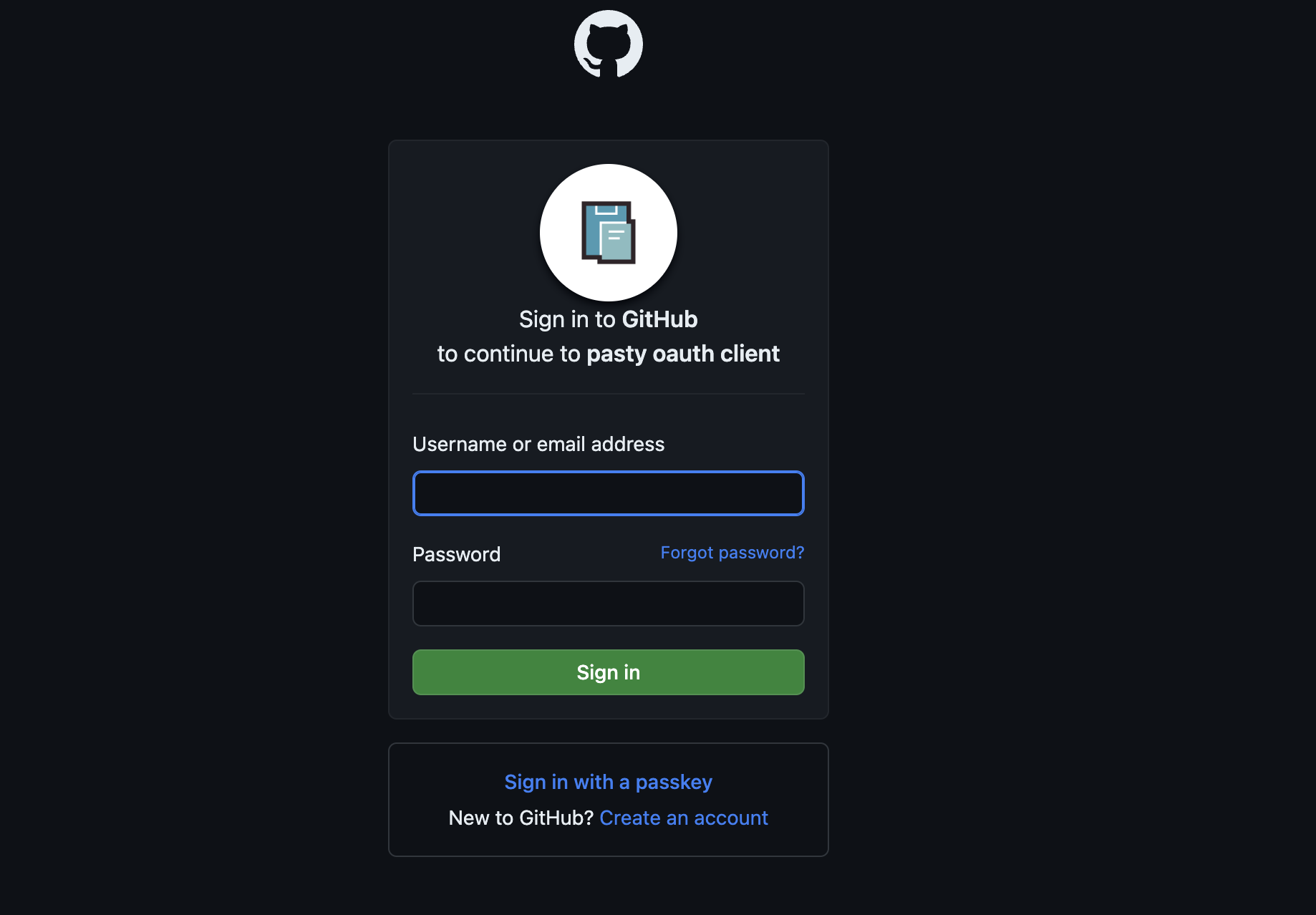
Done
That's it! The full source is at github.com/abcdlsj/pasty.
Thanks for reading.